
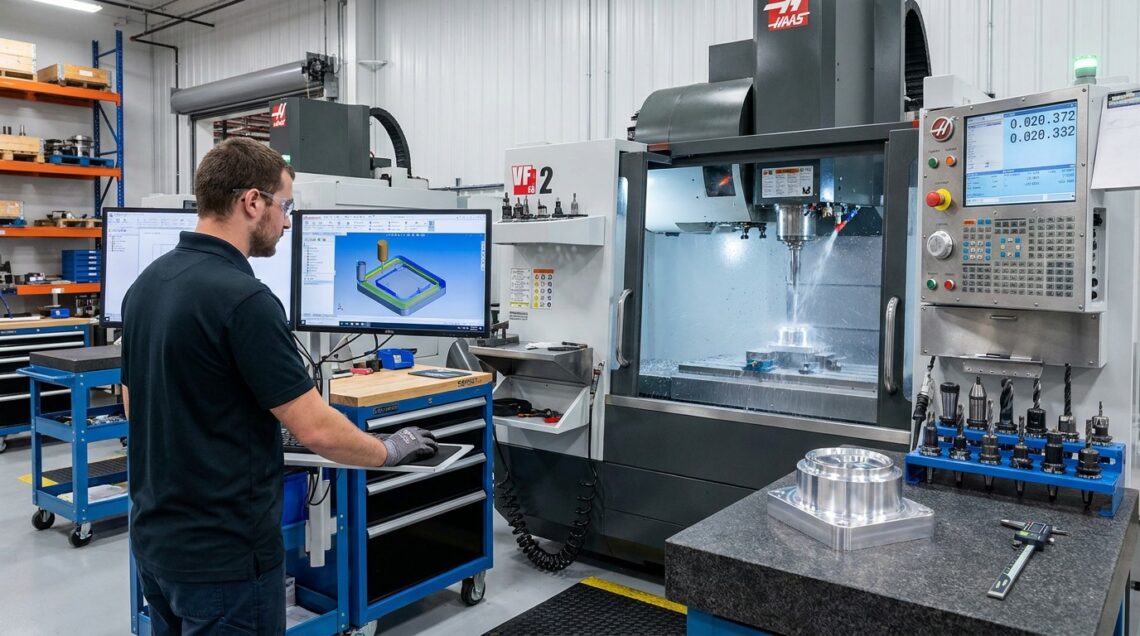
5 Essential Software Features That Improve CNC Machining Accuracy
5 Essential Software Features That Improve CNC Machining Accuracy
Most shops that want tighter tolerances and better finishes start looking at a control or a spindle. They should start by looking at their software. A mid-range 3-axis mill with a good toolpath and sharp tooling will consistently outmachine a poorly programmed 5-axis center – indeed, will often outmachine a well-programmed one. The part’s tolerances have been set long before the first chip is ever cut; the toolpath is where most of that decision is made. Then comes the spindle, and only then the control.
This has gotten truer over time. Cut time is merely a fraction of a part’s life – a Sandvik Coromant study identified it as ~10%, with the rest being made up of setup, re-sets, tool changes, and interruptions. If you’re adding a 5th axis so you can afford to buy a slightly better spindle, you’re pulling at a relatively inexpensive lever; the expensive one – the software lever – you’re pulling at too little.
With that in mind, here are five capabilities a control or spindle can buy you, but so too can a CAM package – and these are the ones most buyers underestimate the value of when they shop. They are also the hardest to access.
Full Machine Simulation and Collision Detection
A collision represents the single most costly instance of inaccuracy on the shop floor, not because of the scrapped part, but due to the damage caused to the spindle, the fixture, and the disruption to the schedule. Good CAM systems create a digital twin of the real machine cell – tool, holder, spindle head, and fixture – and verify the entire program before the first chip is ever cut. This is not a simple tool-path preview. The simulation must consider the holder geometry, and the fixture clamps, not simply the cutter tip.
While shopping for software, ask if the simulation models your machine’s exact kinematics or if it relies on a generic template. A generic simulation will catch most obvious errors. Machine-specific simulation will catch the errors that lead to collisions.
Adaptive and Trochoidal Tool Paths
Unexpected increases in cutting force are often responsible for part defects since the tool will deflect when suddenly pushed into more material than it was removing the instant before. This deflection results in taper, oversize walls, and inconsistent wall thickness exceeding the allowable deviation from the CAD model. Adaptive and trochoidal roughing keep the tool engagement angle – and thus the chip load – more constant through corners and pockets, helping to prevent increases in cutting force.
Where Post-Processors Quietly Ruin Good Programs
Even if you have a perfect tool path, the precision can still be lost as it makes its way to the machine tool, and that usually occurs in the post-processor. A poor post-processor will cut off important coordinate values, miss proper circular interpolation codes, or neglect the cutter compensation values that your particular machine tool demands. None of that becomes apparent during the CAM software’s simulation where everything looks just peachy. No, it makes itself known on the part itself, as thousands of motions compound rounding errors.
This is also where the marketplace has changed. It used to be that you’d need to buy expensive separate programs to simulate, post-process, and generate adaptive tool paths, but now you have another option. The high-end, full-suite CAM solutions offer this all-in-one for a six-figure investment, while more accessible programs like RabbitCAM X can give you all three in a much lower-cost bundle. When you’re shopping for a best-fits-your-shop solution, secure a sample of the actual G code on a demo part, not just a rendering of a part being cut. The G code is the truth. Everything else is just a promise.
Feed-Rate Optimization and Chatter Suppression
Speed and feed are not constant, optimal values. As the tool engages more or less material, the ideal feed rate also changes. High-speed machining functions found in current CAM software packages modify the feed rate as needed based on the amount of engaged material, keeping the chip load constant. This also helps to reduce chatter and vibration, ensuring a better surface finish.
Chatter doesn’t just look bad. It leaves a wavy surface that fails finish specs and it accelerates tool wear, which then feeds its own dimensional drift into the next few parts off the line.
Probing and In-Process Compensation
Extended production runs tend to deviate. As tools degrade, machine parts increase in temperature and expand, so a piece cut during the initial phase is not 100% identical to a piece cut in a later phase. Probing cycles are integrated into the CAM workflow, allowing the machine to re-verify work offsets, measure the real length and diameter of the tool against a wear table, and automatically make corrections during the process of cutting.
This makes the difference between having a program that is correct on the first part or having a program that is correct on part three-hundred. Thermal drift and tool degradation due to cutting are actual physical problems that you cannot program out, but you can measure and automatically make corrections while cutting the piece, instead of learning about it during final inspection.
What This Means For Buying Decisions
All of the aforementioned features are now available in various CAM programs at an affordable price. While these features used to be exclusive options only available with enterprise-level packages, they are now accessible to virtually any shop. The gap is rapidly closing between having a “premium machine but weak software” and a “modest machine but strong software.” Most importantly, it’s closing in favor of the latter.
So, before you shop for a new machine tool, sharpen your pencil and calculate what you can already accomplish with your current programming solution. The means to achieve the tolerance and finish you’re after may be right in front of you.

You May Also Like

Web Accessibility Best Practices: Essential Guidelines for Inclusive Design

Cloud Computing: What You Need To Know
